Check AI Lecture Transcripts: Errors, Timecodes and Privacy
Check the original recording, document transcription mistakes and keep uncertain passages out of finished study notes.
Use the matching correction log
Capture timecodes, transcribed words, corrected speech and common error categories without uploading private classroom recordings.
Begin with permission and the recording's actual purpose
An automatically generated class transcript can look like a finished study document even when no one has compared it with the audio. Before reviewing it, establish whether you are allowed to record, transcribe, copy or share the lecture. A school may have rules about instructors, classmates, confidential discussions and recordings used for disability accommodations. Do not treat a transcript generated by a third-party AI service as automatically safe to redistribute. The existence of a playback file does not authorize a public upload. If a permitted recording is available, keep a copy of the original transcript and create a separate working revision. Note the course, recording date and any known restrictions in your own private notes. Avoid entering names, grades or student identifiers into public services. The local correction log accepts only short passages and timestamps in the browser; it does not record audio, upload files or contact an AI model. Its purpose is a controlled human review workflow, not bypassing permission requirements.
Automatic speech recognition is a first draft, not verified notes
Speech-to-text systems infer words from audio. Background noise, overlapping speakers, unfamiliar terminology, accents, microphone distance and abrupt shifts of topic can affect the output. The W3C Web Accessibility Initiative warns that an automatically generated transcript may contain errors that change the meaning and should be corrected against the audio. It gives examples where a missed negation reverses an instruction. These are not merely spelling mistakes. Students studying from a transcript may not notice such differences because the text reads fluently. A generated sentence can be plausible while saying the opposite of what the teacher intended. It is especially risky to copy precise dates, measurements, definitions or exam conditions from an unreviewed transcript. Treat the document as a convenient navigation aid until important statements are checked. A human reviewer should compare it with the recording rather than simply ask another chatbot if the wording sounds correct.
Prioritize statements where a small error changes the answer
You do not have to start by fixing every filler word. Begin with high-consequence lecture content: mathematical signs, negation, dates, numerical thresholds, names of researchers, scientific terms, units, technical processes and instructions about what students must submit. If the transcript says do this instead of do not do this, the difference matters more than an omitted hesitation. Likewise, fifty milligrams and fifteen milligrams are different amounts, even though both may look natural in a sentence. Create a review queue from the sections you plan to rely on for studying. Mark important equations, definitions, examples and statements that conflict with your course notes. The order is an editorial judgment, not an automated risk score: a brief classroom aside may be irrelevant, while a single incorrect term can undermine a whole paragraph of revision notes. If a passage cannot be heard reliably, mark it as uncertain instead of inventing a plausible correction.
Replay short sections and preserve precise timecodes
A useful procedure is to listen to a short section, read the same part of the generated transcript, and identify any discrepancy. Pause or reduce playback speed if necessary, but do not rely on memory for an entire hour-long lecture. Record a timestamp in mm:ss or hh:mm:ss so you can return to the actual audio. The correction log sorts entries chronologically and preserves each original generated passage, the corrected wording and an optional context note. For example, write 02:15 rather than somewhere near the start. At that timestamp, the machine-generated transcript may read The valve should open. After replaying the original permitted recording, the reviewer might discover the spoken phrase was The valve should not open. The tool records that as a negation error. This example is fictional, designed to show a verification method rather than claiming that an actual professor made the statement.
Use correction categories to focus future review
Categories help students see what kinds of errors recur in the parts they reviewed. Our tool provides subject terminology, numbers and units, negation, speaker attribution, omitted words and other differences. A study session might contain three logged term mistakes and one missed number. That observation could tell the student to recheck discipline-specific vocabulary before the next revision session. It does not prove the entire recording contains only four errors. Avoid treating the category count as a transcript-wide accuracy percentage. A person might review only five minutes from an hour and find several mistakes; another might review most of the lecture and find the same number. Their raw counts cannot support a fair accuracy comparison. To measure automatic transcription error rates formally, a properly defined reference transcript and matching evaluation procedure would be needed. The local correction log deliberately reports what the user checked, not a fabricated automated accuracy score.
Check speaker attribution and meaningful non-speech information
In a lecture with discussion, a transcription system may assign two people's words to one speaker or omit a student's question. Attribution matters when the instructor corrects an earlier assumption, responds to an incorrect example or distinguishes a classmate's speculation from a course requirement. If the recorder has permission to keep participant identities, handle them according to the institution's privacy rules. Otherwise, use neutral speaker labels in a private record rather than copying names to an external tool. The W3C guidance on transcribing audio to text also discusses the need to include audio information relevant to understanding, not just a string of spoken words. Sometimes a meaningful interruption, speaker change or sound must be represented. However, a student's correction of study notes is not automatically a finished accessibility-compliant caption file. Proper captions and transcripts have additional requirements.
A worked example of three independent problems
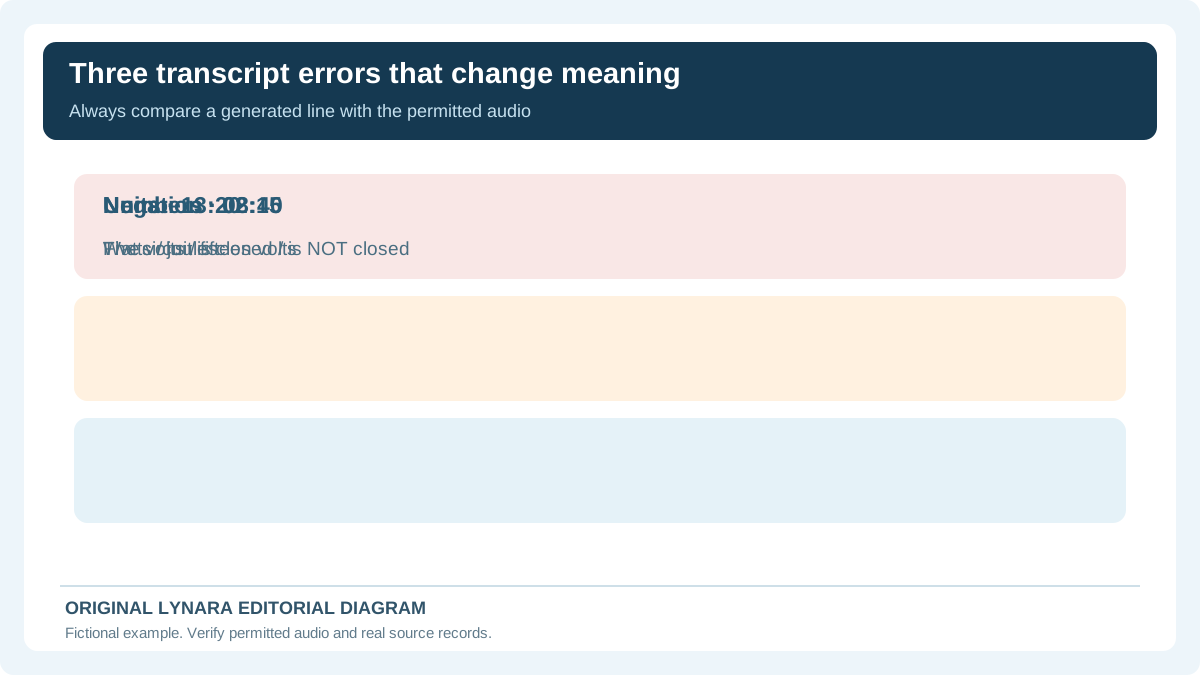
Imagine a fictional physics class recording with these three generated statements: The circuit is closed at 2:15; the voltage is five volts at 8:40; and energy is measured in watts at 13:20. After checking the original audio, the student discovers that the first statement should say is not closed, the second speaker said fifteen volts, and the third used the word joules. These would be logged as a negation difference, a numerical difference and a terminology or unit difference. Do not assume the corrections are scientifically appropriate solely because the rewritten text sounds familiar. The student needs the original audio to establish what was spoken and may then use course materials to check the underlying science. The act of accurately transcribing a speaker and the separate act of verifying the speaker's factual claim should not be merged. The Claim Verification Tracker handles evidence checking; the new transcript tool records audio-to-text mismatches.
Build usable revision notes only after the audio is checked
A corrected transcript can support later study tasks: finding the explanation of a concept, revisiting an instructor's example or creating practice questions from verified notes. However, a transcript is not automatically a complete lesson summary. It may omit material written on a board or shown in a slide deck, including a graph that the instructor refers to without describing fully. A transcript can also include misstatements later corrected verbally. Preserve that sequence instead of rewriting the lecture as if every early statement were the final rule. For video material, the W3C distinguishes basic transcripts from descriptive transcripts that include information conveyed visually. See its transcripts guidance for accessibility context. Students should compare any diagrams, slide annotations and numerical examples with the original materials when authorized. AI-generated practice questions should be based on checked facts, not simply on an uncorrected machine transcript.
Keep correction notes short and auditable
A useful correction entry includes when the issue occurs, the generated text, the wording actually heard and a short reason if context matters. For example, at 08:40 you might log transcription five volts, checked audio fifteen volts, with a note that the slide also appears to show 15 V. The slide can provide supporting context, but it does not replace replaying the speech when the aim is an accurate transcription. Record ambiguity openly rather than silently choosing the option that sounds more reasonable. Our interactive correction log permits up to ten entries per batch and copies a chronological list. The fields stay in the browser tab and are not sent to a model. A copy can be retained only where school rules permit; do not put other people's private records into shared documents. The constraint of short excerpts helps focus on identifiable corrections instead of creating a hidden archive of a whole class recording.
Finish with separate accuracy and accessibility reviews
Before relying on the transcript for study, review the sections linked to required definitions, figures, assignments and examinable examples. Recheck the audio after each significant correction, then verify important factual claims against genuine course resources. Mark sections you have not reviewed rather than declaring the full recording accurate. If transcription is needed as an accessibility accommodation, coordinate with the institution and use the applicable caption and transcript standards. The W3C captions guidance explains why automatic captions require attention before use and how accessible captions can differ from a raw transcription draft. A brief classroom note correction tool cannot certify WebVTT timing, accessibility conformance or a complete word error rate. Use Lynara's timestamped correction log for transparent reviewing, and our verified study-notes guide if you later summarize authorized course text. Accuracy starts with the original material, not with an AI's confident phrasing.
A ten-minute audit that makes uncertainty visible
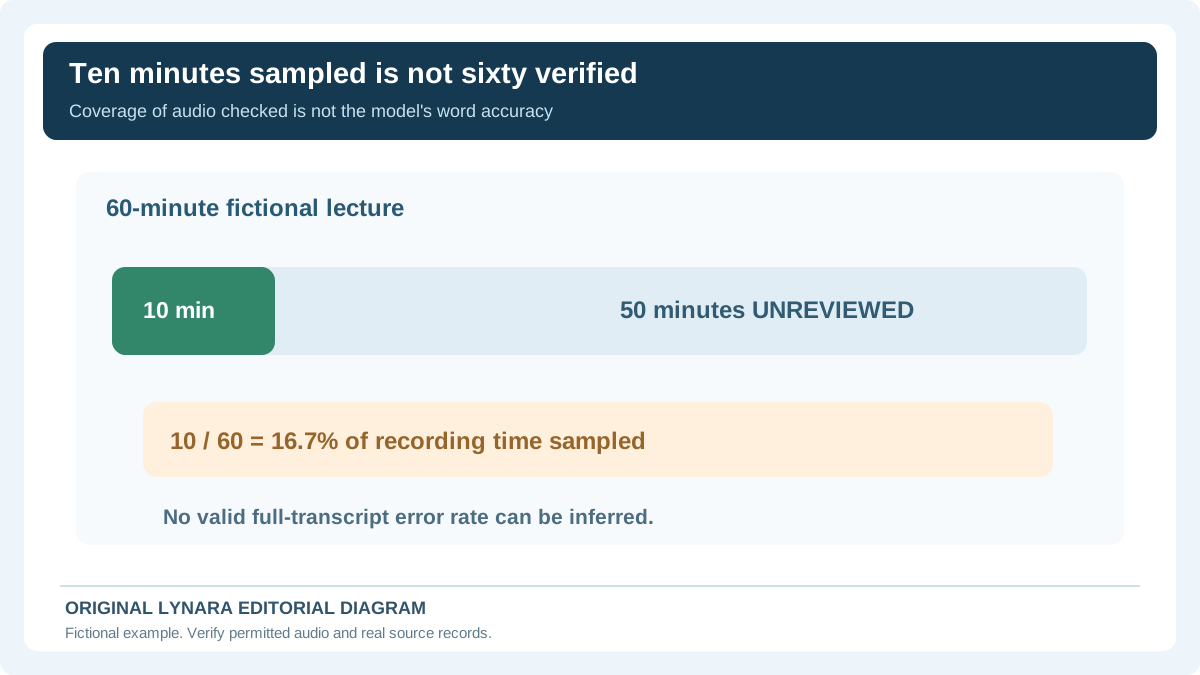
A student with a sixty-minute authorized recording may be able to replay only ten minutes before planning revision. That is a sampling limit, not an excuse to describe the transcript as checked end to end. Ten minutes divided by sixty is 16.7% of the recording duration. The other fifty minutes remain unreviewed. The sample may deliberately focus on high-impact passages rather than being randomly selected, so it cannot be used to estimate an objective model-wide word error rate.
| Audio time | Generated wording | Only after replaying audio | Next action |
|---|---|---|---|
| 02:15 | The circuit is closed | The circuit is not closed | Correct missed negation |
| 08:40 | Five volts | Fifteen volts | Confirm digits and unit |
| 13:20 | Energy is measured in watts | Energy is measured in joules | Correct the transcript and separately verify the science |
These rows are invented teaching cases, not recordings of actual teachers. For each real correction, record the timecode, the original automatically generated wording, what was clearly heard, who verified it if that information can be kept, and any unresolved uncertainty. Mark an unintelligible phrase as unclear, not as the most plausible sentence suggested by a chatbot. When the lecture includes a diagram, a transcript alone may omit critical visual context.
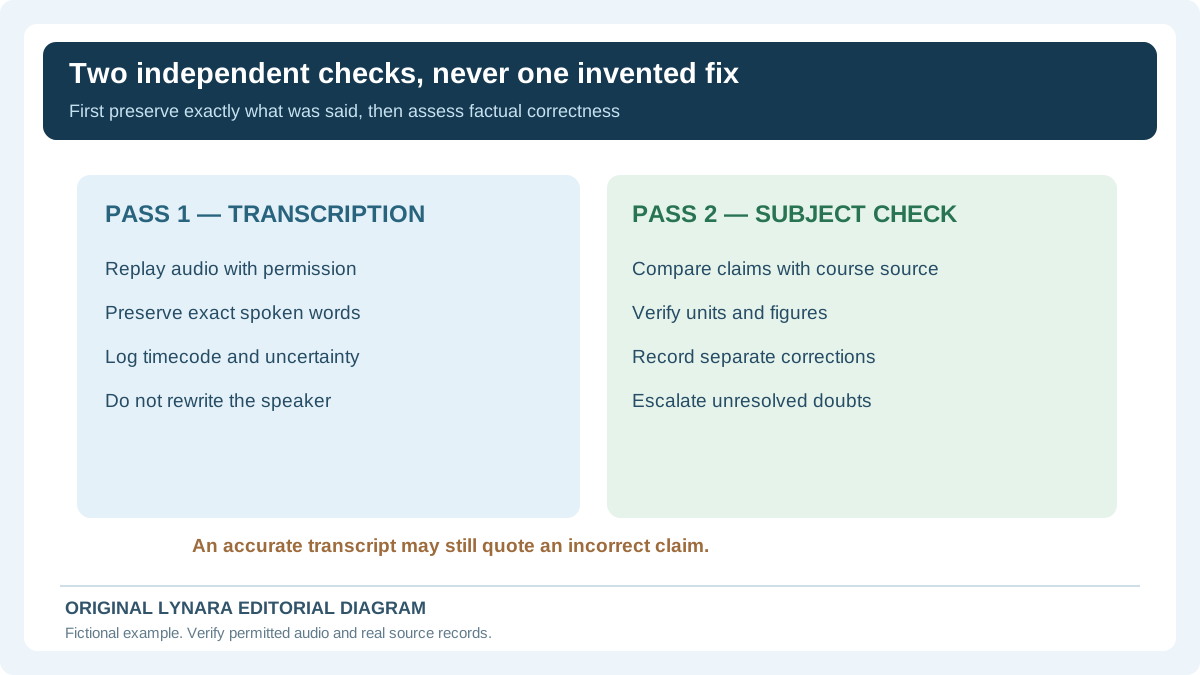
W3C's audio transcription guidance recommends checking automated output against source audio and avoiding silent factual rewrites that misrepresent what the speaker said. A second pass can check the actual scientific claim against lesson materials, but it should not falsify the transcript. If a person said an incorrect fact, an accurate transcript preserves the statement while a separate annotation explains the correction.
Recording and sharing permission comes first. The U.S. Department of Education student-privacy FAQ explains rules concerning education records; it does not establish that any student can record or upload any classroom session. Institutional policies, consent and accessibility arrangements must be checked for the specific situation. Use short permitted excerpts in the local correction log, and ask the institution's accessibility staff when a transcript must also serve as an official accommodation.
Editorial note
Worked lecture examples are hypothetical. This is a manual correction workflow, not a transcription API, accessibility conformance certificate or validated transcription-accuracy benchmark. See our editorial policy.