Student Data Privacy Checklist Before Uploading to AI
A study file can contain more information than the text you want summarized. Decide what is permitted to leave your school environment before uploading it.
An ordinary homework screenshot may contain personal data
A student may share an assignment screenshot with an AI assistant to get feedback and accidentally include a name, institutional login, class roster, student number, grade, private teacher comment or browser notification. This is not the same as sharing a generic question from a publicly available textbook. Even harmless-looking metadata or page headers can reveal who the document concerns. Begin with the smallest information needed for the actual study task. If you want help with the structure of an essay, the model may need the assignment prompt and an anonymized draft, not the full learning management system page showing classmates and scores. The important distinction is between information that is useful to the task and information that should not be disclosed. Removing unnecessary material improves both privacy and the clarity of an AI request.
Check the school's approved tool list and assignment rules
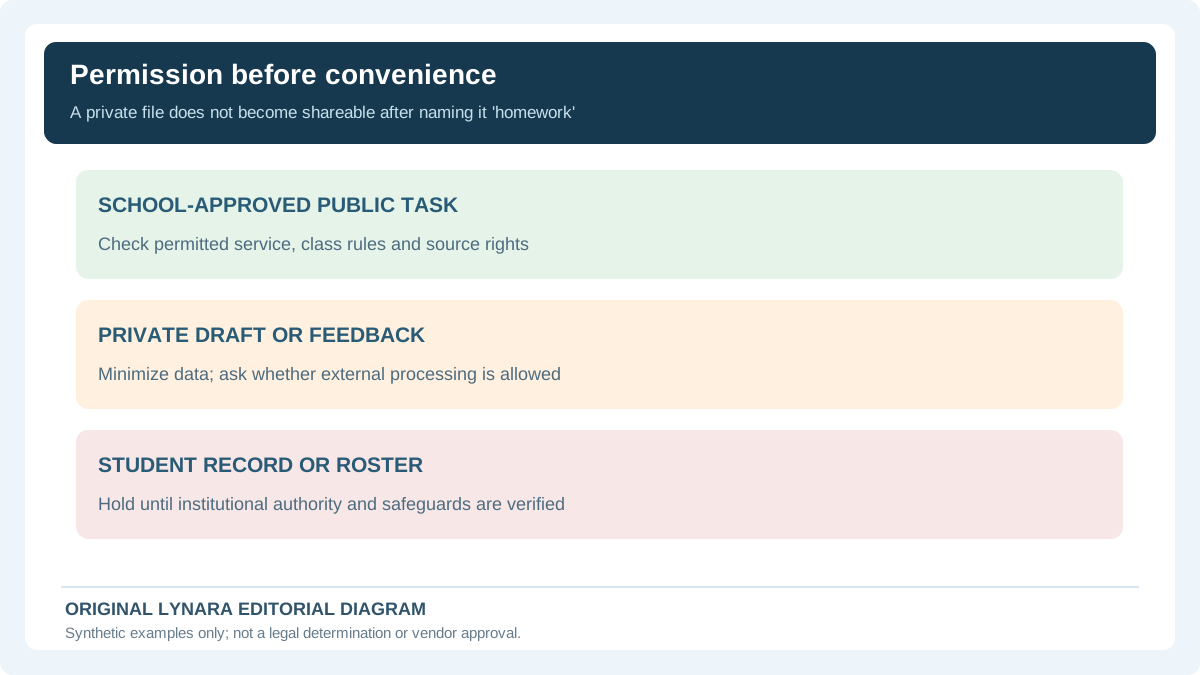
An institution may provide a managed AI account with specific contractual, technical or administrative safeguards. A student's personal account with a similarly named service may have different settings and terms. Ask what tools are approved for the coursework, whether uploading assignment content is allowed and whether third-party processing is restricted. A teacher's invitation to use AI for ideas does not necessarily authorize uploading confidential student records or a full copyrighted course packet. Check age and consent rules where relevant. The right decision sometimes is not to upload anything. A separate draft containing the minimum relevant information can be useful when direct file sharing is inappropriate. This article is practical risk reduction, not legal advice for schools or an assertion that any named AI provider handles every account type in the same way.
FERPA and school records: why ownership matters
In the United States, the Family Educational Rights and Privacy Act, or FERPA, protects the privacy of education records for covered institutions and establishes conditions for permitted disclosures. The US Department of Education's Student Privacy Policy Office provides official explanations and resources. The precise obligations of a school or service depend on the circumstances, including who holds the record and which legal exception, consent or agreement applies. A student should not assume that personally having access to a class roster means they can upload it to an unrelated third-party AI service. Grades, identifiable teacher annotations and screenshots revealing other students deserve particular care. If there is uncertainty, seek direction from an authorized school contact rather than relying on a general website checklist to interpret the law. A student's own notes may involve different permissions from institution-controlled records.
COPPA and younger students need particular attention
The US Children's Online Privacy Protection Act concerns covered online collection of personal information from children under thirteen. The Federal Trade Commission's COPPA guidance, including the section on schools, explains that school authorization for data collection has a limited educational purpose and is not open permission for unrelated commercial use. This is a reminder to check a tool's eligibility and approved context before involving young learners. Do not assume that a product being described as educational means every account type or use is suitable for children. Parents, administrators and teachers may have distinct roles under relevant policies. Students outside the United States can face different privacy frameworks and local school policies; US examples do not replace those obligations. The practical rule is to use a school-authorized process and avoid personal data that a task does not need.
A simple three-level upload decision table
Think of three illustrative file categories. First, a publicly available practice problem that you are allowed to process, stripped of student identifiers: relatively low personal-data exposure, although copyright or assignment rules may still matter. Second, a personal draft essay with the student's name and teacher comments: remove identity and comments if they are unnecessary and confirm that the institution allows external processing. Third, a class gradebook, medical document or roster with multiple students: high-risk content that should not be uploaded to an unapproved AI service. This is a risk-screening example, not a legal classification or guarantee. Treat the highest-risk category as a reason to use an institution-approved channel or ask the responsible staff for guidance. Each category requires a specific purpose, permissible disclosure, minimum necessary content and awareness of what the provider will do with the data.
Redaction means more than drawing a black rectangle
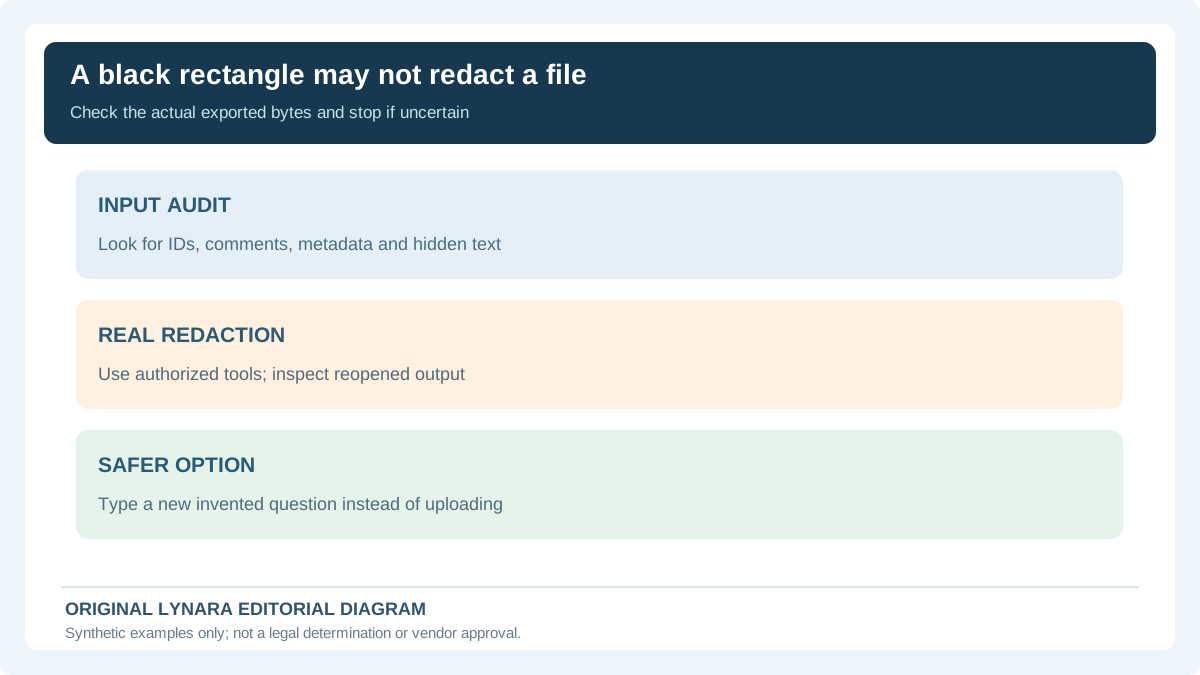
For an assignment screenshot, crop away the browser chrome, private messages and unrelated pages before sharing. Remove names, account identifiers, grades and precise location information when the task does not require them. If working with a PDF, visually covering text can leave the original content or metadata recoverable depending on the software. Use a genuine redaction process appropriate to the file type, and verify the output by reopening it or checking that removed text cannot be selected or searched. Re-typing a short anonymized question into a fresh document may be safer and easier than attempting to sanitize a complex school report. If unsure whether a document has been genuinely redacted, do not upload it. Do not assume that changing the file name or blurring one visible label removes other identifying information embedded in the file.
Use a minimal prompt instead of transmitting the full record
Imagine the purpose is to understand how a weighted grade is calculated. Instead of uploading a screenshot containing a real student's identity, a course title, a private instructor message and several personal marks, construct a separate invented example: assignments weighted forty percent with a score of eighty, and exams weighted sixty percent with a score of ninety. The arithmetic is 0.40 times 80 plus 0.60 times 90, producing 86 percent. None of these values needs to describe a real person. A model can explain the general method from the sanitized example, and the student can apply it locally to private scores. For actual calculations, our grade calculators can help users explore weighting without a need to expose a teacher's private messages. Sharing the smallest viable data makes it easier to check what was disclosed.
Local processing can help, but verify the implementation
Some browser-based utilities process images or documents on the user's own device rather than uploading content to an application server. That can reduce certain disclosure risks when the implementation truly keeps processing local. Lynara's Student File Tools section describes browser-based file workflows intended for local processing. Even with a local tool, students should consider whether the browser, extensions, network dependencies or file-export process creates other risks. Do not infer that every page on a website, every connected AI feature or every third-party plugin handles data in the same way. Check the specific tool's privacy documentation and observe whether an upload to an external provider is required. A local-only PDF resize task is not equivalent to submitting a whole document to a remote generative AI service. Choosing the simpler local task can eliminate the need to share an original file at all.
After sharing, verify settings and avoid false deletion promises
Before uploading to an authorized service, read the relevant data-use and retention information for the actual account and feature. Check whether the file will be saved to chat history, made available to collaborators or used in another permitted way under the provider's terms. When a task is finished, follow the service's controls and institutional retention policy. Do not assume that deleting a message from a visible conversation proves that every copy, backup or downstream record has vanished. If a sensitive document was shared unintentionally, promptly consult the institution's privacy or security reporting process and follow its instructions. Avoid discussing the incident in another public tool by pasting the same sensitive document a second time. The aim is to reduce exposure while respecting genuine obligations, not to offer an unsupported guarantee of erasure.
A final decision that takes less than one minute
Ask five questions before sharing a file with AI. Do I have permission to process it this way? Does it include another person's information? Can the study objective be met with a smaller excerpt or invented example? Is the selected service approved for my age, school and account? Have I checked the relevant provider policy and output? If any answer is unclear, resolve that uncertainty first or use an alternative such as an authorized school system or a local tool. Different tools solve different parts of an assignment, and not every question needs an upload. For authorized, non-sensitive tabular data, our local Research CSV Quality Checker highlights missing cells and duplicates without sending the dataset to a server; local processing does not override school data restrictions. A student who can explain the task in a few anonymized sentences may receive more focused help while exposing far less information. Privacy awareness and efficient studying are compatible: remove unnecessary data before the prompt, rather than hoping to remove it afterward.
Choose the lowest-data path that still answers the question
A student wants help understanding grade weighting, not a third party's review of the student's real records. They can ask a general question using invented values: coursework counts for 40% with a score of 80, and an exam counts for 60% with a score of 90. The weighted result is 0.40 × 80 + 0.60 × 90 = 86. Names, assignment comments, actual marks, teacher details and screenshots are unnecessary. A student's private account must not be made public merely because a model can calculate the same formula.
| Possible material | Useful task | Safe next decision |
|---|---|---|
| Invented arithmetic example | Learn how weighted averages work | Use synthetic numbers, respecting tool and class rules |
| Personal draft with instructor remarks | Understand revision structure | Check approval; remove identifying details or ask abstractly |
| Real class gradebook | Review missing values | Do not upload without institutional authority and reviewed safeguards |
| Black-boxed PDF | Discuss a question | Verify permanent redaction or create a fresh fictional prompt |
The U.S. Department of Education's FERPA classroom-tool guidance tells teachers to check with their institution before using applications that may collect personally identifiable information from education records. Depending on circumstances, the school official exception requires appropriate direct control, authorized use and restrictions on redisclosure. It is not a blanket exemption for any product advertised as educational. The FTC's COPPA school guidance addresses operators collecting personal information from children under 13 and limits school consent acting for parents to school-benefit educational contexts. Requirements depend on age, service, jurisdiction and actual school arrangements; do not self-certify that an upload complies.
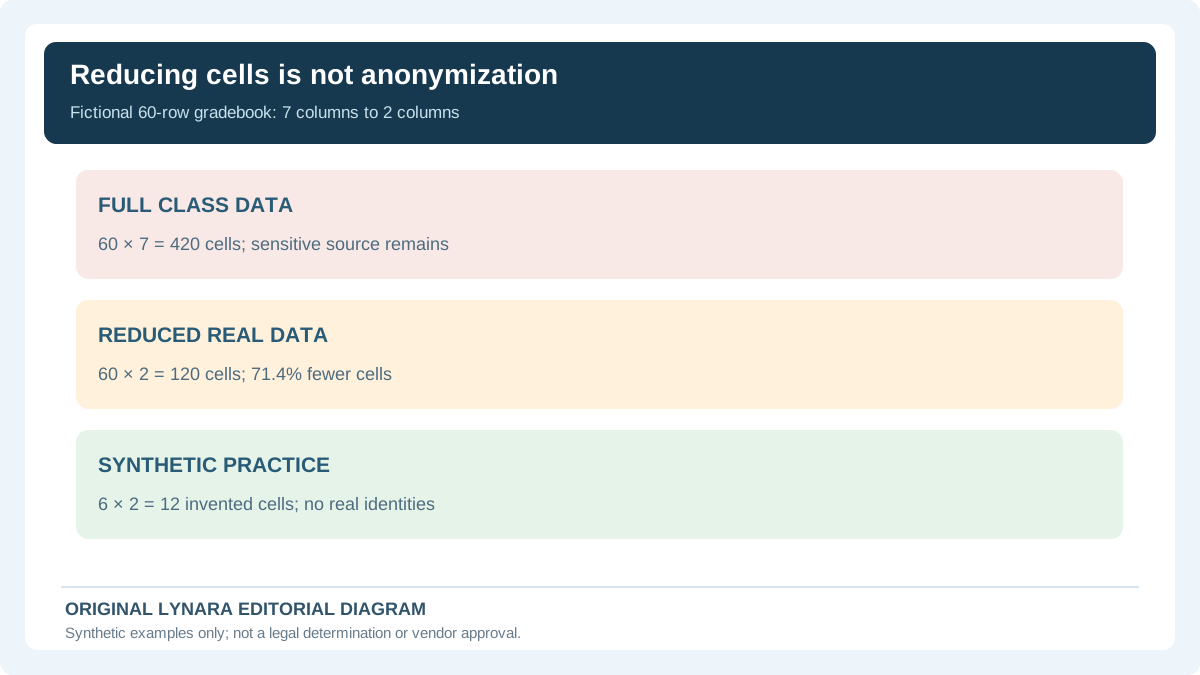
Column reduction is valuable but not sufficient. In a fictional 60-row by 7-column file, 420 cells become 120 when only two columns remain. That is 300 fewer cells, or about 71.4% reduction. Those 120 real values may still identify students when combined with class size, dates and unusual grades. An entirely synthetic 6-row by 2-column example contains only 12 invented cells and can often teach the same operation. The correct choice is determined by purpose and authorization first, not by a cell-count threshold.
For PDF documents, inspect the exported result rather than merely placing an opaque rectangle on top of sensitive text. If the student cannot confirm that hidden content and metadata are removed, stop and use a new document containing only invented content. After a mistaken disclosure, follow the school's incident reporting process rather than asserting that pressing a delete button removes all provider copies. When the task allows it, a trusted local calculation may avoid transmission, but local software still must follow school restrictions.
Editorial approach
This checklist is an educational screening tool, not a legal determination that a file may be shared with an AI provider. A school may impose stricter rules for identifiable student records, classroom work or vendor access than a general privacy summary suggests. Verify permissions and retention terms using the institution's actual policy and the official sources cited above; stop when authorization is unknown. See the editorial policy.
Fewer spreadsheet cells does not equal permission to upload
Suppose a fictional school spreadsheet has 60 rows and seven columns, or 420 populated cells. A student's analysis needs only two columns. Removing five unnecessary columns leaves 60 × 2 = 120 cells, a reduction of 300 cells or 71.4%. That arithmetic is useful for planning data minimization, but it does not prove that the remaining rows are anonymous or legally shareable. Combinations of dates, scores and small class sizes may still identify someone.
| Input | Cell count | Upload decision |
|---|---|---|
| Full fictional spreadsheet | 60 × 7 = 420 | Do not upload without authority |
| Reduced real spreadsheet | 60 × 2 = 120 | Still requires school approval and re-identification review |
| Six invented practice rows | 6 × 2 = 12 | Prefer synthetic examples when they answer the question |
The US Department of Education's classroom-tool guidance directs educators to consult their institution before using a service that may collect student-record information. For permitted non-sensitive data, the local Research CSV Quality Checker can help inspect missing cells and duplicates without sending the dataset to a remote AI model. Local processing is not a waiver of school policy. When in doubt, replace real rows with synthetic examples and ask the responsible staff.